Chrome //
Extensions
Chrome //
Extensions  Chrome
Web store
Chrome
Web store iCloud Bookmarks Chrome Extension


-
Chrome Extension Page
-
Total Number of Extension users:7M +
-
Reviewed by :4074 Chrome Users
-
Author Name:
-
['support@apple.com', 'One Apple Park Way Cupertino, CA 95014 US', 'True', 'Apple Inc.', 'Apple, Inc.']
 iCloud stores your website bookmarks, so they are everywhere you go — on your iPhone, iPad, Mac, and PC. So when it comes to your devices, you can switch things up without mixing things up.

Note:
iCloud for Windows is required to use iCloud Bookmarks

http://www.apple.com/legal/sla/docs/iCloudControlPanel.pdf

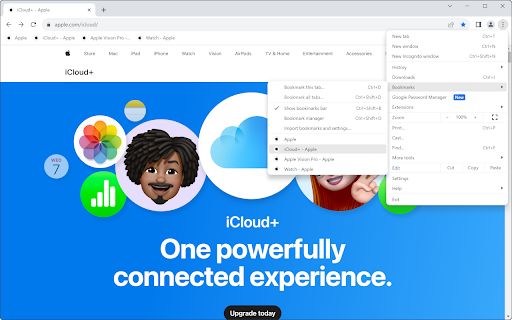
How to install iCloud Bookmarks chrome extension in chrome Browser
You can Follow the below Step By Step procedure to install the iCloud Bookmarks Chrome Extension to your Chrome Web browser.
- Step 1: Go to the Chrome webstore https://chrome.google.com/webstore or download the extension iCloud Bookmarks Chrome Extension Download from https://pluginsaddonsextensions.com
- Step 2: Now search for the iCloud Bookmarks in Chrome Webstore Search and click on the search button.
- Step 3: click on the iCloud Bookmarks Chrome Extension Link
- Step 4: in the next page click on the Add to Chrome button to Download and Install the iCloud Bookmarks extension for your Chrome Web browser .
iCloud Bookmarks Chrome extension Download
Looking for a method to iCloud Bookmarks Download for Chrome then this download link is for you.It is the iCloud Bookmarks Chrome extension download link you can download and install Chrome Browser.
Download iCloud Bookmarks chrome extension (CRX)
-
Installs popular bookmarks in your Bookmark Bar.
-
Find your bookmarks for the current website, automatically.
-
Save bookmarks easily to Bookmark OS
-
launchpad of your iCloud Apps
-
Call, SMS, open URL, copy text or save image on your iPhone or iPad with myPhoneDesktop Client
-
Easiest way to access iCloud.com apps.
-
Clean up your bookmark mess! Sort bookmarks automatically, delete duplicates, merge folders, etc.
-
Access iCloud from anywhere in your browser.
-
Access to your bookmarks, history, and applications
-
Find and remove duplicated bookmarks manually and in batches, get rid of broken bookmark links and empty folders.